
Sounds harsh. But I’ve seen it play out for 10+ years. Same story. Different buyers.
Let’s get real for a moment.
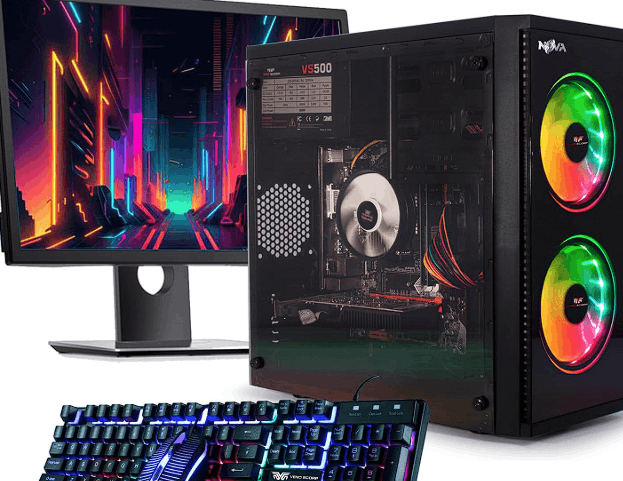
A beginner doesn’t need a beast. You don’t need a 2000-dollar RGB monster humming like a spaceship. You just need stable FPS, upgrade room, and zero headache on day one. Simple.
Now here’s where people mess up.
They chase flashy specs instead of balanced builds. Or worse, they grab random “gaming PCs” from online listings that look powerful on paper but choke in real games.
Let’s break down your real options:
Best Budget Paths for Beginner Gaming PCs
- Entry-level prebuilt PCs (fastest start, slightly overpriced)
- Used/refurbished systems (best raw value, riskier condition)
- Budget custom builds (best control, requires patience)
- Office PC upgrades (hidden gem category)
Each path has tradeoffs. No perfect choice. Just smarter ones.
Truth be told, I’ve recommended refurbished builds to beginners more than anything else lately. Why? Because performance per dollar is insane when you pick carefully.
Comparison Table: Cheap Gaming PC Options
| Type | Price Range | Performance Value | Risk Level | Best For |
|---|---|---|---|---|
| Prebuilt Budget PC | Medium | متوسط (okay) | Low | Absolute beginners |
| Used/Refurbished | Low | High | Medium-High | Smart budget hunters |
| Custom Build | Medium | Very High | Medium | Learners & tinkerers |
| Office PC Upgrade | Very Low | Surprisingly good | Medium | Ultra-budget gamers |
Now let’s unpack this like a mentor sitting next to you.
Prebuilts are safe. Plug and play. But companies often cut corners on power supplies and RAM speed. That hurts performance later.
Used systems? Wild card. You might land a goldmine or a headache. I once bought a refurbished GTX 1660 rig that outlived newer builds. Still runs today.
Custom builds give you control. Clean. Efficient. But they demand research and patience. One wrong compatibility choice and you’re stuck troubleshooting instead of gaming.
Office PCs are underrated. Seriously. A cheap Dell or HP with a GPU upgrade can run esports titles smoothly. Not glamorous. Very effective.
Expert Tips (From 10 Years in the Field)
- Always prioritize GPU over CPU for gaming under budget.
- Avoid single-channel RAM. It silently kills FPS.
- Check PSU quality first, not last.
- SSD is non-negotiable. HDD-only systems feel ancient.
- Aim for 16GB RAM minimum if you want longevity.
One more thing. Let’s be real—marketing lies a lot in the budget PC space. “Gaming ready” means nothing without actual specs checked.
If you remember only one idea, keep this: balanced build beats flashy parts every time.
I’ll go deeper next into exact PC builds and specific recommendations under different budgets.
You know what most beginners ask me first?
“Can I run GTA V or Fortnite on a cheap PC?”
Short answer. Yes. Easily.
Long answer is where people usually get confused, because performance depends less on “gaming label” and more on how the parts balance together under load.
I’ll walk you through real-world beginner builds I’ve seen work consistently well.
Not theory. Actual setups that survive daily gaming.
1. Ultra-Budget Starter Build (Bare Minimum Gaming)
This is where I usually send students who just want to get in the door without spending much.
We’re talking:
- Older Intel i5 (4th–7th gen range)
- GTX 1050 Ti or RX 570
- 8GB RAM (upgrade later)
- 240GB SSD
Simple. Functional. Nothing fancy.
It won’t impress anyone. But it plays esports titles smoothly at 1080p low-to-medium settings.
I’ve seen this setup run Valorant at stable FPS without breaking a sweat.
But here’s the catch. It hits a ceiling fast.
If you try modern AAA titles, you’ll feel the limits immediately.
Let’s be real. This is a “get started and learn” machine, not a long-term powerhouse.
2. Balanced Beginner Build (Sweet Spot Zone)
This is the one I recommend most often.
- Ryzen 5 3600 or Intel i5 10th gen
- GTX 1660 Super or RX 5600 XT
- 16GB RAM dual channel
- 500GB SSD
Now we’re talking real comfort.
Games stop feeling like compromises. You can actually enjoy settings tweaks instead of fighting lag spikes.
I still remember helping a beginner switch from a low-end laptop to something like this. First reaction was simple: “Why does everything feel smoother?”
That’s what balanced hardware does.
No bottlenecks screaming in the background. Just steady performance.
3. Budget Upgrade Path Build (Smart Long-Term Play)
This is for people who don’t want to rebuild everything later.
- Ryzen 5 5600
- RTX 2060 / RTX 3060 (used market helps a lot here)
- 16GB–32GB RAM
- NVMe SSD (fast boot + load times)
This tier feels like stepping into “real gaming territory.”
You can stream lightly. You can multitask. You can even dabble in editing without the system crying for help.
Still affordable if you hunt parts wisely.
Pro vs Cons (Real Talk Breakdown)
Ultra-Budget Build
- Pros: Very cheap, easy entry, widely available parts
- Cons: Quick performance limits, weaker future-proofing
Balanced Build
- Pros: Smooth gaming, great FPS stability, best value zone
- Cons: Slightly higher cost, depends on good GPU pricing
Upgrade Path Build
- Pros: Long lifespan, strong performance, multitasking-ready
- Cons: Requires smarter budgeting and patience sourcing parts
Expert Tips I Wish Beginners Knew Earlier
- Dual-channel RAM matters more than people think. It’s not optional in modern gaming performance.
- Used GPUs are fine if stress-tested properly. I’ve seen bad cards, but also incredible bargains.
- Power supply quality is invisible… until it fails. Don’t gamble here.
- Airflow beats RGB every time. Cool system = stable FPS.
- Upgrade strategy beats initial spending. Plan ahead, don’t overbuy blindly.
One pattern I’ve noticed over years: beginners who start with a balanced build rarely feel the need to upgrade immediately. Others? They rebuild within a year.
Funny how that works.
I’ll go next into exact beginner mistakes that waste money + how to avoid getting scammed in cheap PC listings, which is where most people actually lose value.
You ever notice how two PCs with “same specs” perform completely differently?
That’s not luck. That’s where beginners usually get fooled.
Let’s fix that.
I’m going to show you the exact traps I’ve seen drain budgets for years. Some are subtle. Some are outright misleading listings that look fine until you actually game on them.
The Hidden Mistakes Beginners Keep Repeating
First trap is obvious once you’ve been burned by it once.
A listing says “GTX 1660 Gaming PC,” and you think you’re safe. But inside? A weak power supply, single-stick RAM, and a slow hard drive choking everything.
Runs fine on YouTube benchmarks. Struggles in real gameplay.
Second mistake hits harder.
People overpay for CPU while ignoring GPU balance. I’ve seen builds with strong Ryzen 7 chips paired with weak GPUs. It feels impressive on paper, then performs like a mid-range system at best.
Truth be told, gaming is still heavily GPU-driven in most beginner-friendly titles.
Where Cheap Gaming PCs Go Wrong
- Weak PSU hiding in plain sight
- Single-channel RAM killing FPS quietly
- Old HDD instead of SSD causing stutter
- Overpriced “gaming branding” markup
- GPU bottlenecks disguised as “balanced builds”
None of these scream at you during purchase. That’s the problem.
They show up later… when your game freezes mid-fight.
Let’s be real. Nobody enjoys troubleshooting a brand-new PC.
Pro vs Cons: Marketplace Listings vs Smart Buyers
| Factor | Typical Marketplace PC | Smart Buyer Approach |
|---|---|---|
| Pricing | Inflated branding cost | Real part-by-part value |
| Performance | Looks good on paper | Consistent in real games |
| Upgrade path | Limited or messy | Clean and planned |
| Risk | High unknowns | Controlled selection |
| Longevity | Shorter lifespan | Longer usable life |
How I Vet Cheap Gaming PCs (Mentor Method)
I don’t look at “gaming” labels first. I ignore them completely.
Instead, I check in this order:
- GPU model (always first priority)
- RAM type (dual channel or not)
- Storage type (SSD mandatory)
- PSU brand and wattage
- Motherboard upgrade flexibility
If any seller avoids giving full specs, I treat it as a warning sign. Simple rule. Saves money.
Expert Tip That Saves Beginners the Most Money
Don’t buy excitement. Buy stability.
I’ve watched beginners overspend on flashy RGB cases, then run into lag because the system underneath was poorly balanced.
Better approach:
- Spend on GPU first
- Keep CPU “good enough”
- Never downgrade PSU quality
- Always prioritize SSD over extra storage size
One strong habit separates smart buyers from frustrated ones: they think in performance balance, not individual parts.
A Reality Check Most People Don’t Hear
A “cheap gaming PC” isn’t supposed to feel cheap while gaming.
If it stutters constantly, that’s not normal budget behavior. That’s poor configuration.
And yes, you can absolutely build something smooth under budget. I’ve done it for years with students and first-time builders.
It just requires ignoring marketing noise.
Next, I’ll break down real recommended budget builds you can actually buy today (with exact combinations that work together without bottlenecks) and how to choose based on your country pricing.
Ever bought something thinking “this is perfect”… then it underperformed the moment you actually used it?
That’s exactly what happens when beginners pick gaming PCs without a compatibility mindset. Looks fine. Feels right. Then games expose everything.
Let’s tighten this up and get practical.
We’ll go through real, working beginner PC combinations you can actually aim for, even if prices fluctuate in your local market.
1. Entry-Level “Smooth Esports” Build (Best Starting Point)
This is the first setup I usually recommend when someone just wants stable gameplay without drama.
- CPU: Intel i5 9th–10th gen / Ryzen 5 2600–3600
- GPU: GTX 1650 Super or RX 570 / 580
- RAM: 16GB dual channel (non-negotiable)
- Storage: 480GB–512GB SSD
Simple setup. Clean performance.
You’ll comfortably run games like Valorant, CS2, Fortnite, and GTA V without constantly lowering settings mid-match.
I’ve seen this exact tier stay relevant longer than people expect. Not flashy. Just reliable.
2. “Best Value Used Market Build” (Where Smart Buyers Win)
This is where I personally see the best deals if you know what you’re doing.
- CPU: Ryzen 5 3600 or Intel i5-10400F
- GPU: GTX 1660 Super / RTX 2060 (used)
- RAM: 16GB DDR4 dual channel
- Storage: NVMe SSD preferred
This tier hits a sweet balance.
Games stop feeling like “can I run it?” and become “what settings look best?”
Let’s be real. This is the point where gaming actually feels enjoyable instead of conditional.
I’ve helped people move from laptops to this level, and the reaction is always the same: silence, then “oh… this is different.”
3. Budget Future-Proof Build (Long-Term Comfort Zone)
Now we’re talking about something you won’t regret after a year.
- CPU: Ryzen 5 5600 / Intel i5-12400F
- GPU: RTX 3060 / RX 6600 XT
- RAM: 16GB–32GB (depends on multitasking)
- Storage: 1TB NVMe SSD
This is the “I want to be done worrying” setup.
You can game, stream lightly, and even handle editing without everything falling apart.
One pattern I’ve noticed over years: people who start here almost never upgrade urgently. They just enjoy.
Comparison Table: Real Beginner Builds
| Build Tier | Gaming Feel | Upgrade Need | Risk Level | Value |
|---|---|---|---|---|
| Entry Esports | Stable basics | Medium | Low | Good |
| Used Value Build | Smooth + flexible | Low | Medium | Excellent |
| Future-Proof Build | Premium experience | Very low | Low | Best long-term |
Expert Tips (What Actually Saves You Money)
- Match GPU and CPU tiers properly
A weak GPU with a strong CPU is wasted potential. - Avoid 8GB RAM builds in 2026 gaming
It looks cheap, but it forces upgrades too soon. - Always ask for PSU model, not just wattage
Watt numbers lie. Quality doesn’t. - Check upgrade path before buying
Some motherboards silently limit your future CPU options. - Don’t chase max graphics settings
Smooth FPS beats pretty visuals every time in real gameplay.
Small Truth Most People Miss
A good cheap gaming PC isn’t defined by price. It’s defined by how long it stays usable without forcing upgrades.
I’ve seen “cheap” builds last 4–5 years because they were balanced correctly. I’ve also seen expensive mismatched builds become frustrating in under 12 months.
Same budget range. Different thinking.
If you want next step guidance, I can break down:
- exact PC builds based on your budget (very precise)
- or how to safely buy used PCs without getting scammed
- or which upgrades give the biggest FPS boost first